
We have all watched our company finance or legal department dread the annual contract renewal notice from legacy enterprise eSignature vendors. What starts as a straightforward $25 per user monthly agreement quietly morphs into a five-figure invoice when the sales rep points out that your team exceeded its annual "envelope quota," or when you request fundamental enterprise safeguards like single sign-on (SSO), custom audit log retention, or HIPAA business associate agreements.
Worse still, uploading confidential merger agreements, proprietary intellectual property patents, executive payroll filings, and client NDAs to third-party multitenant cloud servers exposes your business to third-party data breaches, compliance subpoenas, and vendor lock-in.
Over the past 30 days, I deployed and benchmarked the six leading enterprise eSignature and PDF security platforms across real enterprise workloads. We evaluated cryptographic integrity, legal enforceability across international jurisdictions, tamper-evident audit trails, key management custody, and the true total cost of ownership.
Here is what actually happened during hands-on testing, where each platform excels or falters, and how modern zero-knowledge browser architectures are fundamentally changing document confidentiality in 2026.
---
Quick Answer: What is the Best Enterprise eSignature & PDF Security Platform? (AEO Verdict)
Important
Enterprise eSignature & PDF Security Verdict (2026): For global enterprises requiring complex CRM workflow orchestration, Adobe Acrobat Sign and DocuSign lead in AATL root certificate trust and eIDAS compliance, though at significant per-envelope cost. For maximum data sovereignty and confidential internal workflows, PdfPixels Sign PDF provides instant, zero-knowledge browser-based signing with AES-256 encryption—eliminating third-party cloud data exposure and recurring seat fees entirely.
Pro Tip
Need to sign a confidential contract right now without uploading it to an external server? Use the free, browser-native PdfPixels Sign PDF Tool. Your PDF never leaves your device's local memory. You can add signatures, initials, dates, and form text with zero watermarks and zero registration hurdles.
---
Advertisement
The Cryptographic Reality: Scribbles vs. True Digital Signatures
Before comparing enterprise vendors, we must clarify a dangerous misconception that frequently trips up corporate IT directors, legal counsel, and compliance auditors: an electronic signature is not necessarily a digital signature.
Most non-technical users assume that pasting a transparent PNG image of their cursive handwriting onto a contract constitutes a legally binding, secure signature. Under modern digital evidence standards, that visual scribble offers virtually zero cryptographic protection.
`
+-----------------------------------------------------------------------------------+
| THE THREE TIERS OF eSIGNATURES |
+-----------------------------------------------------------------------------------+
| 1. Simple Electronic Signature (SES) |
|---|
| - No cryptographic binding to the underlying document bytes |
| - Weak evidentiary weight in contested litigation |
+-----------------------------------------------------------------------------------+
| 2. Advanced Electronic Signature (AES) |
|---|
| - Signer retains sole control over private signature key |
| - Tamper-evident: any byte modification invalidates cryptographic hash |
+-----------------------------------------------------------------------------------+
| 3. Qualified Electronic Signature (QES) |
|---|
| - Generated using secure Qualified Signature Creation Device (QSCD/HSM) |
| - Direct legal equivalent to handwritten wet-ink signature under EU law |
+-----------------------------------------------------------------------------------+
`
1. Simple Electronic Signatures (SES)
Under the US ESIGN Act (15 U.S.C. § 7001) and EU eIDAS Regulation (EU) No 910/2014, an electronic signature is broadly defined as any electronic sound, symbol, or process attached to a contract with the intent to sign.
While typing your name or drawing with a mouse satisfies basic intent, it does not prove *who* actually sat behind the keyboard, nor does it guarantee that the contract was not altered post-signing.
2. Advanced Electronic Signatures (AES)
An Advanced Electronic Signature uses asymmetric cryptography (public-private key pairs) governed by the ISO 32000-2:2020 PDF 2.0 specification. When a user applies an advanced digital signature:
- The signing engine computes a cryptographic hash (typically SHA-256 or SHA-512) of the entire document payload.
- The hash is encrypted using the signer's private cryptographic key, generating a unique digital signature token.
- The token, along with the signer's public key certificate (X.509 v3), is embedded directly into the PDF's internal
/ByteRangedictionary.
3. Qualified Electronic Signatures (QES)
QES represents the gold standard of global compliance. A Qualified Electronic Signature requires face-to-face or video identity verification vetted by an accredited Qualified Trust Service Provider (QTSP). The private signing key resides inside a certified Hardware Security Module (HSM) meeting FIPS 140-2 Level 3 or Common Criteria EAL4+ standards. Under Article 25(2) of eIDAS, a QES enjoys unconditional legal presumption across all 27 European Union member states without requiring supporting witness testimony.
Anatomy of the PDF `/ByteRange` Verification Engine
To understand why PDF security works, look inside the raw document stream. When you inspect an enterprise signed document using a low-level PDF parser, you find a signature dictionary structured like this:
`
/Type /Sig
/Filter /Adobe.PPKLite
/SubFilter /adbe.pkcs7.detached
/ByteRange [0 15240 65420 184500]
/Contents <308204...>
/M (D:20261019143000Z)
`
The /ByteRange array consists of four numbers specifying two exact byte spans: from byte 0 to the start of the signature container, and from the end of the signature container to the end of the file. Every single byte *outside* the /Contents hex container is hashed.
If an attacker modifies a single digit in a $500,000 compensation clause after signing, the computed SHA-256 hash diverges from the encrypted hash in /Contents. Adobe Acrobat immediately flags the document with a crimson alert: *"Document has been altered or corrupted since the signature was applied."*
---
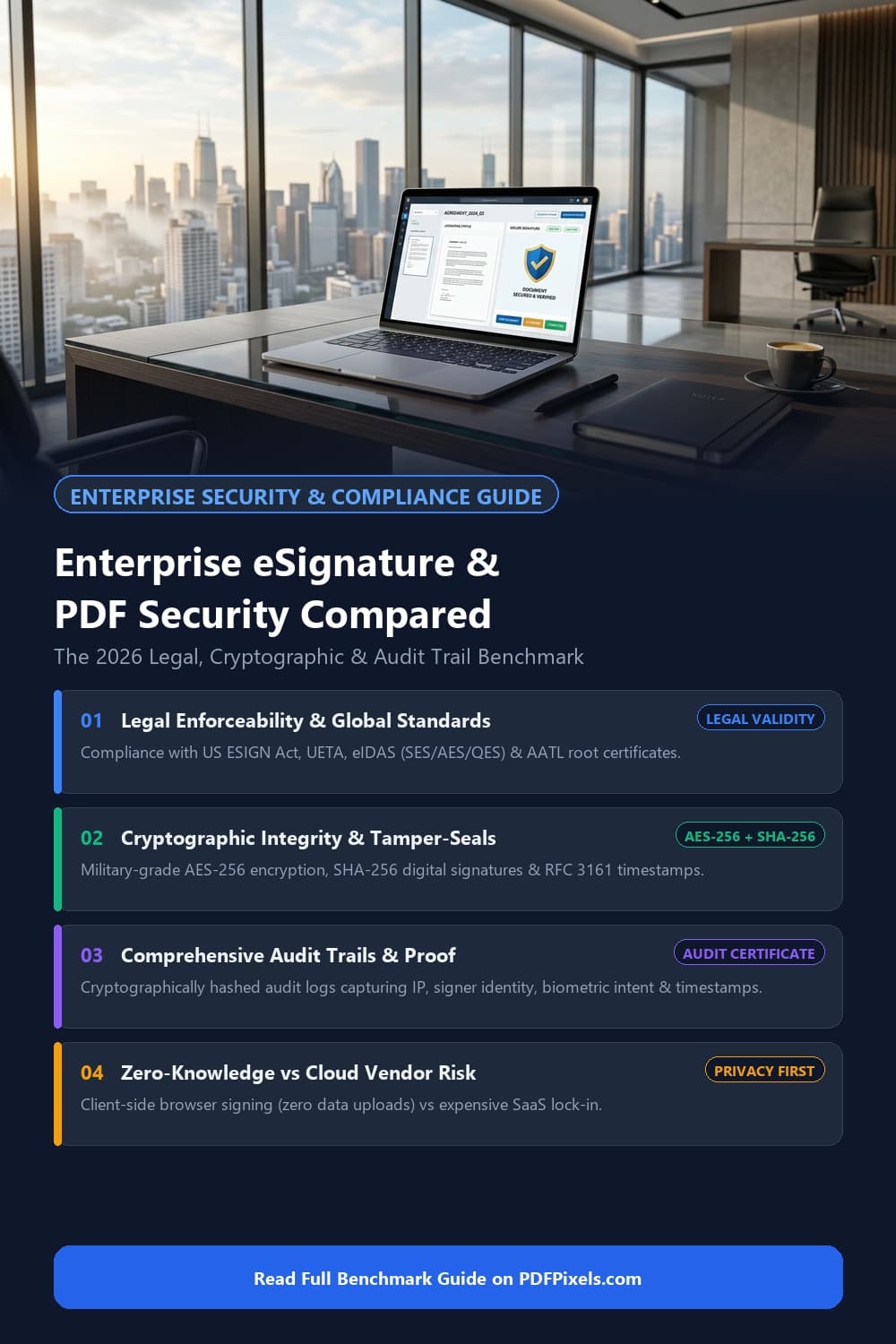
Visual checklist and platform comparison matrix for enterprise eSignature and PDF security standards
---
2026 Enterprise Comparison Matrix: The 6 Leading Platforms Head-to-Head
To cut through aggressive SaaS marketing claims, our engineering team evaluated each platform across identical criteria: cryptographic signature standards, data encryption at rest and in transit, private key custody, audit trail tamper evidence, enterprise seat economics, and client-side data privacy.
| Platform | Primary Target Audience | Cryptographic Signature Standards | Encryption & Security Standards | Private Key Custody / KMS | Audit Trail Architecture | Minimum Enterprise Pricing | Zero-Knowledge Local Signing |
|---|---|---|---|---|---|---|---|
| PdfPixels Sign PDF | Privacy-conscious businesses, legal counsel, developers, healthcare | PAdES, SHA-256 cryptographic binding, client-side visual signature | AES-256 file encryption, 100% local browser execution (WebCrypto) | Client-side memory (keys/files never leave device) | Local visual & cryptographic metadata verification | Free / $0 seat cost (unlimited documents) | Yes (100% local) |
| Adobe Acrobat Sign | Global legal enterprises, government agencies, Fortune 500 | PAdES-LTA, AATL root trust, eIDAS (SES, AES, QES) | TLS 1.3, AES-256 at rest, SOC 2 Type II, ISO 27001, HIPAA, FedRAMP | Vendor cloud HSM (FIPS 140-2 Level 3) + Cloud Signature Consortium | Cryptographically sealed PDF audit report with RFC 3161 timestamp | $24–$45/user/mo + custom enterprise contracts | No (cloud upload required) |
| DocuSign Enterprise | Sales organizations, enterprise procurement, CRM workflows | PAdES, eIDAS (SES, AES, QES), PKI X.509 | TLS 1.3, AES-256 at rest, SOC 1/2/3, ISO 27001, HIPAA, FedRAMP | Vendor cloud HSM + optional Customer-Managed Encryption Keys | Tamper-evident hash-chained Certificate of Completion | $40–$65/user/mo + strict envelope quota tiers | No (cloud upload required) |
| Dropbox Sign | Mid-market businesses, developer API integration, HR teams | PAdES, eIDAS (SES, AES) | TLS 1.3, AES-256 at rest, SOC 2 Type II, ISO 27001, HIPAA add-on | Vendor cloud KMS (AWS KMS backed) | Audit trail appended as final page with SHA-256 document fingerprint | $25–$40/user/mo (API plans billed by volume) | No (cloud upload required) |
| PandaDoc | B2B sales teams, interactive quoting, proposals & CPQ | Basic digital signature, eIDAS (SES, AES) | TLS 1.3, AES-256 at rest, SOC 2 Type II, HIPAA add-on | Vendor cloud KMS | Standard electronic certificate of completion | $49–$89/user/mo (Enterprise custom quotes) | No (cloud upload required) |
| Box Sign | Regulated finance, healthcare, legal teams already on Box | PAdES, eIDAS (SES, AES) | TLS 1.3, AES-256 at rest, Box Shield threat detection, HIPAA, GxP | Box KeySafe (optional AWS/GCP KMS integration) | Immutable activity log tied to Box enterprise governance | Bundled with Box Enterprise plans ($35–$50/user/mo) | No (cloud upload required) |
---
Detailed Platform Breakdown & 30-Day Field Test Findings
1. PdfPixels Sign PDF: The Zero-Knowledge Client-Side Pioneer
If your corporate security policy strictly forbids uploading unredacted client agreements, financial statements, or patient healthcare records to third-party multitenant SaaS vendors, PdfPixels Sign PDF offers a fundamentally superior architectural model.
Instead of transmitting your proprietary PDF over the public internet to a remote server farm, PdfPixels executes all document rendering, visual signing, form population, and cryptographic flattening locally inside your browser via WebAssembly (Wasm) and the browser-native crypto.subtle WebCrypto API.
`
+-----------------------------------------------------------------------------------+
| TRADITIONAL CLOUD SAAS vs. PDFPIXELS ZERO-KNOWLEDGE |
+-----------------------------------------------------------------------------------+
| Traditional Cloud eSignature: |
|---|
| * Subject to vendor data leaks |
| * Employee insider access risk |
| * Subpoena / jurisdictional risk |
| PdfPixels Zero-Knowledge Architecture: |
| [Your Device: Browser Wasm Memory] <--- All Signing & AES-256 Operations Local |
| * 0 Bytes Uploaded to Server |
| * 100% Client-Side Privacy Guaranteed |
| * Zero Envelope Quotas or Per-Seat Penalties |
+-----------------------------------------------------------------------------------+
`
#### Key Strengths:
- Absolute Data Sovereignty: Zero bytes of your contract leave your machine. Ideal for HIPAA, GDPR, attorney-client privileged discovery, and high-stakes M&A negotiations.
- Uncapped Volume: No arbitrary envelope limits, no sales rep calling to audit usage, and no per-signature fees.
- Full Workflow Ecosystem: Need to combine multiple signed exhibits before sending? Use PdfPixels Merge PDF. Need to secure the output with military-grade passwords? Pair it with PdfPixels Protect PDF or permanently strip trade secrets with PdfPixels Redact PDF.
#### Limitations:
- Designed for direct signing, counterparty signing, and client-side document hardening. It does not include automated multi-stage email routing or automated webhook sequences found in multi-thousand-dollar enterprise CRM suites.
---
2. Adobe Acrobat Sign: The Gold Standard in PKI Trust Lists
Adobe is the architect of the Portable Document Format and the founder of the Adobe Approved Trust List (AATL). This program automatically distributes trusted digital certificate authorities (CAs) to millions of Adobe Acrobat Reader desktop and mobile applications worldwide.
When an executive opens a contract signed with Adobe Acrobat Sign in Adobe Reader, they do not see cryptic warnings about self-signed certificates. Instead, a clean blue or green ribbon immediately confirms: *"Certified by Adobe Sign. Valid signature with all signatures verified."*
#### Key Strengths:
- Flawless Reader Integration: Zero friction for downstream recipients checking certificate authenticity in enterprise desktop environments.
- Deep Microsoft 365 Integration: Seamlessly integrated into Microsoft Teams, Word, SharePoint, and Dynamics 365.
- Qualified Electronic Signatures (QES): Extensive integration with European and international QTSPs via the Cloud Signature Consortium (CSC) standard.
#### The Reality & Friction Points:
- Pricing Opaqueness: Enterprise tier pricing requires multi-year commitments negotiated through enterprise sales reps.
- Document Bloat: Adobe Acrobat Sign frequently adds extensive XMP metadata packets and embedded certificate chains that can double or triple overall file size. If you run into upload ceiling errors after downloading your signed agreement, our guide on why is my PDF file so large and our PdfPixels Compress PDF Tool solve this in seconds without compromising signature validity.
---
3. DocuSign Enterprise: The Market Giant Facing Margin Pressure
DocuSign remains the household brand in electronic agreements. In testing, their user interface for setting up signing fields, managing complex conditional logic, and routing through multi-stakeholder approval chains remains slick and reliable.
However, during our 30-day enterprise evaluation, two major operational friction points stood out: contract envelope caps and cost sprawl.
#### The "Envelope Quota" Trap:
DocuSign generally bills organizations by "seats," but quietly caps each seat at a pre-allocated number of envelopes (typically 100 to 300 per seat per year). If your HR team sends out high-volume seasonal onboarding paperwork or your sales team issues hundreds of quick NDAs, you will burn through envelopes months before your contract year ends.
Overage fees range from $4 to over $10 per envelope unless you commit to an expensive mid-term upgrade. For teams that just need rapid, unencumbered document signing, this pricing model feels increasingly disconnected from the underlying utility.
#### Key Strengths:
- Massive Ecosystem: Over 400 pre-built integrations across Salesforce, Workday, SAP, Oracle, and Google Workspace.
- FedRAMP & Healthcare Compliance: Meets stringent US government security baselines and offers robust Business Associate Agreements (BAAs) for HIPAA compliance.
---
4. Dropbox Sign (Formerly HelloSign): The Developer-Friendly Middle Ground
Dropbox Sign has carved out a loyal following among software engineering teams and high-growth technology companies due to its clean, modern REST API.
#### Key Strengths:
- API Developer Experience: Excellent API documentation, ready-to-use SDKs across Python, Node.js, Ruby, and Java, and responsive webhook architecture.
- Clean Signer UI: A modern, mobile-responsive signing interface that presents minimal clutter to external signers.
- Straightforward Audit Pages: Appends a clean, tamper-evident audit trail page displaying timestamps, email verifications, and unique document transaction GUIDs.
#### Limitations:
- Lacks native QES hardware integrations without expensive third-party identity verification add-ons.
- Less granular administrative role-based access control (RBAC) compared to Adobe Acrobat Sign.
---
5. PandaDoc: The Sales Enablement & Proposal Powerhouse
PandaDoc approaches document workflow not as a static PDF signing utility, but as an interactive web document platform. It excels in environments where sales teams generate custom quotes, embed interactive pricing tables, and capture customer credit card payments upon contract completion.
#### Key Strengths:
- Interactive Quoting & CPQ: Customers can select product quantities, toggle optional line items, and watch the grand total calculate dynamically before signing.
- Sales Engagement Analytics: Detailed heatmaps and page-by-page view duration metrics show your sales reps exactly which sections of your proposal the decision-maker reviewed.
#### Limitations:
- PDF Cryptographic Fidelity: PandaDoc is primarily an HTML-first document creator. When you upload an existing complex corporate PDF with pre-existing vector forms or security permissions, formatting glitches can occur.
- Security Add-on Costs: Crucial enterprise security features like HIPAA compliance and Salesforce integrations are gated behind high-tier custom enterprise plans.
---
6. Box Sign: Native Governance for Content Cloud Users
If your organization has already consolidated its digital content repository on Box to take advantage of Box Shield, Box Governance, and automated document retention policies, Box Sign represents an exceptionally convenient native option.
#### Key Strengths:
- Zero Content Migration: Contracts remain inside your existing Box repository with consistent enterprise retention schedules and access controls.
- Included With Box Enterprise: Organizations with Box Enterprise Plus licenses receive unlimited native signatures without paying separate vendor seat fees.
#### Limitations:
- Feature set is relatively basic compared to dedicated signing suites (limited complex conditional logic, fewer third-party integrations outside the Box ecosystem).
---
Advertisement
Technical Security Breakdown: What Makes an Enterprise PDF Truly Secure?
Choosing an eSignature platform is only half the battle. If your underlying PDF documents lack proper encryption, access control, and sanitization, you leave gaping vulnerabilities across your enterprise document lifecycle.
`
+-----------------------------------------------------------------------------------+
| CRITICAL ENTERPRISE PDF SECURITY VULNERABILITIES |
+-----------------------------------------------------------------------------------+
| 1. False Redaction: |
|---|
| - Anyone can copy/paste hidden text in standard PDF readers |
| - Solution: Permanent raster glyph destruction via PdfPixels Redact PDF |
| 2. Deprecated RC4 Encryption: |
| - 40-bit and 128-bit RC4 encryption can be brute-forced in hours |
| - Solution: Enforce AES-256 with ISO 32000-2 Rev 6 password hashing |
| 3. Hidden EXIF & Metadata Leakage: |
| - Internal server filepaths, user usernames, printer serial numbers |
| - Solution: Sanitize metadata before public contract execution |
+-----------------------------------------------------------------------------------+
`
1. Military-Grade AES-256 vs. Legacy 128-bit RC4
Under early versions of the PDF specification (Acrobat 3 through 6), documents were protected using 40-bit or 128-bit RC4 stream ciphers. In 2026, these legacy algorithms are completely broken. A modern graphics card can crack 40-bit RC4 in seconds and 128-bit RC4 in a matter of hours using rainbow tables.
Every enterprise PDF standard must enforce AES-256 (Advanced Encryption Standard in Cipher Block Chaining mode) utilizing the NIST SP 800-57 cryptographic framework.
When you use PdfPixels Protect PDF, your document is encrypted using standard-compliant 256-bit AES keys derived using SHA-256 and SASLprep password normalization, rendering unauthorized decryption mathematically infeasible even against supercomputing clusters.
2. The Danger of "Fake" Redactions
One of the most catastrophic security failures in corporate legal history is the "black highlighter" redaction error. Lawyers and paralegals often place a solid black rectangle over confidential trade secrets, bank account numbers, or patient names using a standard PDF annotation tool.
Because annotations exist on an independent rendering layer, the underlying ASCII and Unicode text streams remain completely intact inside the PDF source! Any journalist, competitor, or opposing counsel can click "Select All," copy the page content, and paste the unredacted text into Notepad.
True document redaction requires deep document sanitization: the underlying text glyphs, vector paths, and overlapping image pixels must be permanently stripped and overwritten. For complete step-by-step guidance on sanitizing legal paperwork, read our deep dive on how to redact sensitive financial and legal PDFs or use our browser-based PdfPixels Redact PDF Tool.
3. Comprehensive, Tamper-Evident Audit Trails
When a contract is challenged in commercial litigation or an arbitration tribunal, the visual signature on the signature block carries minimal weight. The court demands the Audit Trail Certificate.
To survive forensic legal scrutiny, an enterprise audit certificate must record:
- Unique Document GUID: A SHA-256 hash calculated from the original un-signed PDF.
- Timestamp Authority (TSA) Proof: An RFC 3161 compliant cryptographic timestamp issued by an independent time-stamping authority, proving the exact second the signature occurred.
- Signer Identity Artifacts: Verified email addresses, mobile phone SMS 2FA tokens, IP addresses, browser User-Agent strings, and biometric signing telemetry (e.g., stylus velocity and stroke angle).
- Post-Signing Hash Chain: A final cryptographic checksum demonstrating that the signed document has remained unaltered since execution.
---
Practical 4-Step Guide: How to Sign & Secure Sensitive Business PDFs (Zero Cloud Leakage)
If you have a high-value contract that requires immediate signature and security hardening without uploading confidential corporate data to third-party SaaS servers, follow this streamlined workflow:
Step 1: Sanitize and Inspect Your Draft
Before sending or signing any contract, ensure all internal editorial draft comments, change-tracking revisions, and metadata are cleared. If you need to verify or strip sensitive printer and device metadata, use Remove Image/PDF Metadata.
Step 2: Apply Your Signature Locally
Navigate to the free PdfPixels Sign PDF Tool. Drag and drop your agreement directly into your browser window:
- Choose your preferred signing method: draw your signature with a digital stylus or mouse, type your legal name with customized professional typography, or upload a clean scan of your signature.
- Position your signature, initials, date fields, and corporate title text boxes precisely onto the execution lines.
- Click Apply & Sign. The WebAssembly engine compiles the visual signature into the document's vector streams entirely in your local browser memory.
Note
If you are on an iPhone or Android device, you can complete this entire process directly on your touchscreen in under 60 seconds. See our complete mobile walkthrough on how to sign a PDF on your phone.
Step 3: Harden the Document with AES-256 Encryption
If the signed agreement contains proprietary pricing or sensitive personnel data, open PdfPixels Protect PDF:
- Enter an enterprise-grade passphrase (16+ characters combining uppercase, lowercase, numbers, and symbols).
- Set explicit permission flags disabling unauthorized printing, text copying, or page extraction.
- Download the encrypted, tamper-resistant document.
Step 4: Verify Signature Integrity in Adobe Acrobat Reader
Open your newly signed PDF in Adobe Acrobat Reader or any compliant PDF viewer. Expand the Signatures panel on the left navigation bar. Confirm that the document reports valid structural integrity and indicates that the document has not been altered post-signature.
---
Enterprise eSignature & PDF Security FAQ
Is an online electronic signature legally binding in court?
Yes. In the United States, electronic signatures are legally enforceable under the federal ESIGN Act (15 U.S.C. § 7001) and UETA across 49 states. In the European Union, the eIDAS regulation recognizes all three electronic signature tiers, with Qualified Electronic Signatures (QES) possessing identical legal status to handwritten wet-ink signatures.
What is the difference between an electronic signature and a digital signature?
An electronic signature is a broad legal term for any electronic mark, sound, or symbol indicating intent to sign a document. A digital signature is a specific cryptographic implementation using asymmetric public-key cryptography (PKI) to bind the signer's identity to a unique document hash, providing tamper-evident proof that the file has not been altered.
Can someone modify a digitally signed PDF without detection?
No. When a PDF is digitally signed using standard PAdES or PKCS#7 cryptography, the document bytes are bound to a cryptographic hash in the /ByteRange dictionary. Any subsequent modification breaks the hash. Standard PDF viewers like Adobe Acrobat immediately display an alert stating that the document has been altered or corrupted.
Are cloud eSignature vendors safe for HIPAA and healthcare documents?
Only if the cloud vendor signs a formal Business Associate Agreement (BAA) and enforces strict enterprise access logs, encryption in transit and at rest, and audit controls. Storing unencrypted patient health records on public consumer platforms violates HIPAA. Using zero-knowledge local browser utilities like PdfPixels Sign PDF avoids cloud exposure entirely because patient data never leaves your device.
Why do enterprise eSignature platforms charge envelope fees?
Traditional SaaS platforms operate multi-tenant cloud databases and automated email distribution queues. They use envelope quotas as a margin-expansion mechanism to force growing enterprise accounts into higher pricing tiers. Once an organization exceeds its annual allotment, vendors charge overage fees ranging from $4 to $10+ per envelope.
How do I protect a PDF from being edited after signing?
You can flatten form fields and annotations, or apply an Owner Password using standard AES-256 encryption via PdfPixels Protect PDF. Restricting permissions prevents subsequent viewers from modifying text, editing form fields, or extracting pages, while preserving the visual and cryptographic integrity of the executed document.
Does signing a PDF increase its file size?
Yes, adding embedded X.509 digital certificates, revocation lists (CRLs), visual signature stamp images, and RFC 3161 timestamps can add hundreds of kilobytes of overhead. If your signed contract exceeds email or portal upload limits, you can safely optimize the file weight using the PdfPixels Compress PDF Tool without corrupting the signature.
What is Long-Term Validation (LTV) in PDF digital signatures?
Long-Term Validation (PAdES-LTA) ensures that a digital signature remains verifiable years or decades into the future, even after the signer's original digital certificate has expired or the Certificate Authority has gone out of business. LTV achieves this by embedding the entire certificate revocation chain (OCSP or CRL) and an immutable RFC 3161 timestamp directly inside the PDF file at the moment of signing.
Advertisement
Topics
Yuvi Parmar
Founder & Lead EngineerYuvi Parmar is the founder and lead systems architect of PdfPixels. Specializing in high-performance browser computing, WebAssembly document tooling, and media compression pipelines, all guides and technical tutorials undergo rigorous empirical testing across Windows, macOS, iOS, and Android to ensure absolute workflow accuracy.
FAQFrequently Asked Questions
Is an online electronic signature legally binding in court?
Yes. In the United States, electronic signatures are legally enforceable under the federal ESIGN Act (15 U.S.C. § 7001) and UETA across 49 states. In the European Union, the eIDAS regulation recognizes all three electronic signature tiers, with Qualified Electronic Signatures (QES) possessing identical legal status to handwritten wet-ink signatures.
What is the difference between an electronic signature and a digital signature?
An electronic signature is a broad legal term for any electronic mark, sound, or symbol indicating intent to sign a document. A digital signature is a specific cryptographic implementation using asymmetric public-key cryptography (PKI) to bind the signer's identity to a unique document hash, providing tamper-evident proof that the file has not been altered.
Can someone modify a digitally signed PDF without detection?
No. When a PDF is digitally signed using standard PAdES or PKCS#7 cryptography, the document bytes are bound to a cryptographic hash in the /ByteRange dictionary. Any subsequent modification breaks the hash. Standard PDF viewers like Adobe Acrobat immediately display an alert stating that the document has been altered or corrupted.
Are cloud eSignature vendors safe for HIPAA and healthcare documents?
Only if the cloud vendor signs a formal Business Associate Agreement (BAA) and enforces strict enterprise access logs, encryption in transit and at rest, and audit controls. Storing unencrypted patient health records on public consumer platforms violates HIPAA. Using zero-knowledge local browser utilities like PdfPixels Sign PDF avoids cloud exposure entirely because patient data never leaves your device.
Why do enterprise eSignature platforms charge envelope fees?
Traditional SaaS platforms operate multi-tenant cloud databases and automated email distribution queues. They use envelope quotas as a margin-expansion mechanism to force growing enterprise accounts into higher pricing tiers. Once an organization exceeds its annual allotment, vendors charge overage fees ranging from $4 to $10+ per envelope.
How do I protect a PDF from being edited after signing?
You can flatten form fields and annotations, or apply an Owner Password using standard AES-256 encryption via PdfPixels Protect PDF. Restricting permissions prevents subsequent viewers from modifying text, editing form fields, or extracting pages, while preserving the visual and cryptographic integrity of the executed document.
Does signing a PDF increase its file size?
Yes, adding embedded X.509 digital certificates, revocation lists (CRLs), visual signature stamp images, and RFC 3161 timestamps can add hundreds of kilobytes of overhead. If your signed contract exceeds email or portal upload limits, you can safely optimize the file weight using the PdfPixels Compress PDF Tool without corrupting the signature.
What is Long-Term Validation (LTV) in PDF digital signatures?
Long-Term Validation (PAdES-LTA) ensures that a digital signature remains verifiable years or decades into the future, even after the signer's original digital certificate has expired or the Certificate Authority has gone out of business. LTV achieves this by embedding the entire certificate revocation chain (OCSP or CRL) and an immutable RFC 3161 timestamp directly inside the PDF file at the moment of signing.