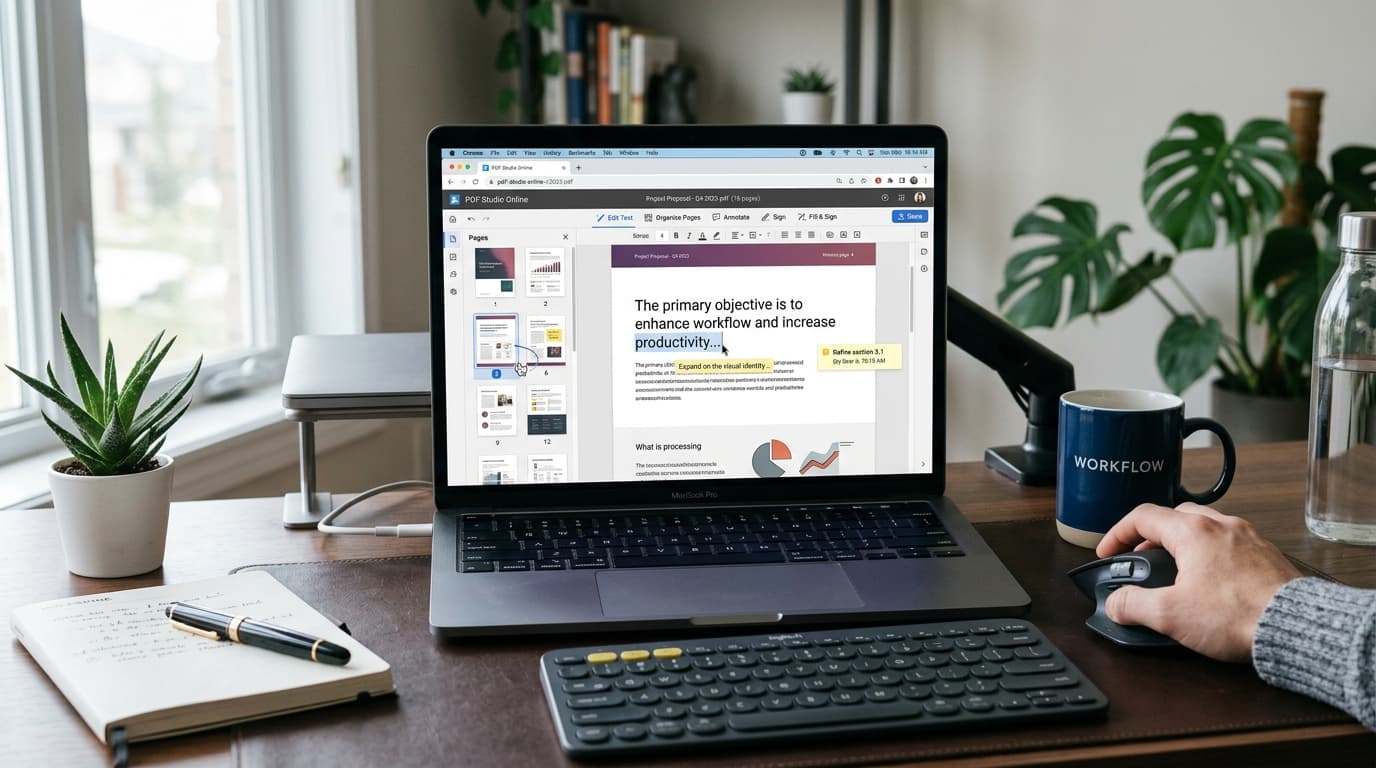
If you've ever needed to quickly update a line of text in an invoice, fix a typo on a resume, or reorder pages in a contract, you know the immediate friction point: opening the file only to find out you can't edit it without a paid subscription to Adobe Acrobat Pro.
At $24.99 per month (or roughly $300 a year), Adobe Acrobat Pro is simply too expensive for professionals, students, and small business owners who only need to modify PDFs occasionally.
The good news? In 2026, web browser standards and WebAssembly technology have reached a point where you can edit PDF online free without downloading heavy desktop software, creating mandatory accounts, or putting up with intrusive watermarks.
💡 Pro Tip
Quick Solution: Need to edit or modify a document right now? Head directly to the free PdfPixels Suite to compress, merge, split, rotate, reorder, or password protect your PDFs directly inside your web browser in under 30 seconds.
Why Adobe Acrobat Pro Isn't Mandatory Anymore
For nearly two decades, Adobe held a virtual monopoly over PDF editing because the Portable Document Format (PDF) was originally a proprietary format created by Adobe Systems in 1993.
However, in 2008, Adobe released PDF as an open standard published by the International Organization for Standardization (ISO 32000-1). This paved the way for open-source libraries like `pdf-lib` and browser-native canvas renderers to process complex document streams locally on your device.
Here is a direct cost and feature comparison between Adobe Acrobat Pro and modern browser-based free alternatives:
| Feature / Capability | Adobe Acrobat Pro | PdfPixels Online Suite |
|---|---|---|
| Annual Price | $299.88 / year | 100% Free |
| Account Required? | Yes (Adobe ID + Credit Card) | No Account Required |
| Installation | Heavy ~2.5GB Desktop App | Zero Install (Browser Native) |
| File Privacy | Uploads to Adobe Cloud | Local Processing (Zero Retention) |
| Watermarks | None | None |
| Basic Page Editing | Full | Full (Merge, Split, Rotate, Reorder) |
| Document Security | Full | Full (256-bit AES Encryption) |
Step-by-Step: How to Edit PDF Online Free
Editing a PDF online doesn't require technical skill or software installation. Here is the step-by-step workflow to modify, organize, and optimize your PDF files for free:
Step 1: Select the Tool for Your Specific Editing Need
Unlike monolithic desktop apps that force you through complex menus, web tools break tasks into focused utility modules:
- To fix page ordering or remove unwanted pages, use Reorder PDF Pages or Delete PDF Pages.
- To combine multiple documents or separate chapters, use Merge PDF or Split PDF.
- To fix upside-down scanned pages, use Rotate PDF.
- To add page numbers or confidentiality marks, use Add Page Numbers or Add Watermark.
Step 2: Upload Your File via Drag and Drop
Navigate to the relevant tool page and drag your file into the upload zone. Modern browser-based editors leverage high-speed client-side memory, so your files load instantly regardless of size.
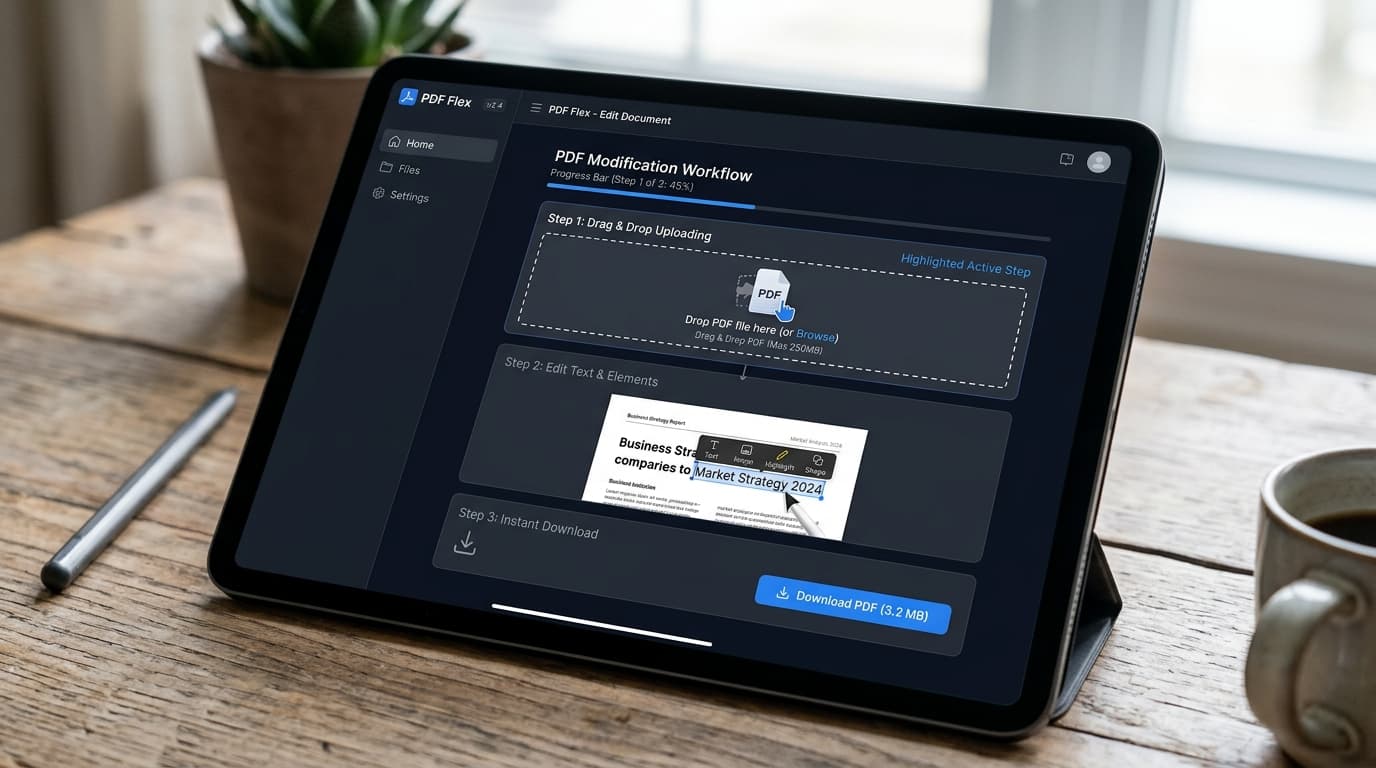
Step-by-step online PDF editing workflow showing drag and drop document uploads and instant text tools
Step 3: Perform Your Modifications
Make your desired changes in real time:
- Rearrange thumbnail cards to change page sequences.
- Type page number stamps (e.g., "Page 1 of 10") with custom position and font options.
- Apply security restrictions using strong encryption before sharing sensitive financial or legal data.
If security is a primary concern for your workflow, check out our guide on how to password protect a PDF for free.
Step 4: Optimize and Compress the Edited Output
After making structural or visual edits, scanned PDFs and multi-page documents can become unnecessarily large. Government job portals, university applications, and email gateways frequently reject attachments over 25MB or 200KB.
Before downloading your edited file, run it through our free Compress PDF tool. For a detailed breakdown of file size reduction techniques, read our complete guide on how to compress PDF file size without losing quality.
Step 5: Save and Download Your Final PDF
Click the download button to export your clean, edited PDF. Because no watermarks are added and no tracking scripts are attached, your output document is ready for official submissions, business client emails, or printing.
Privacy & Security: Is Online PDF Editing Safe?
A common question users ask when switching away from Adobe is whether uploading sensitive documents to an online editor compromises privacy.
The answer depends heavily on the architecture of the tool you use:
- Server-Side Upload Editors: Many legacy online converters upload your file to an external server, process it in a remote queue, and store it for hours.
- Browser-Native / Edge Editors: Tools like PdfPixels process file streams locally using browser WebAssembly. Your confidential contracts, passports, and bank statements remain isolated within your device's sandbox memory and are never stored permanently on external servers.
For an in-depth analysis on data privacy when using web-based utilities, read our article on whether online PDF tools are safe.
Advanced Tips for Editing PDF Files Without Adobe
- Working with Scanned Documents: If your PDF is a non-searchable image scan, run it through an OCR Image to Text Tool first to extract editable plaintext.
- Handling Form Fields: If you are filling out government job applications, read our targeted tutorial on compressing PDFs for government form uploads.
- Converting Image Files: If your pages are currently JPEGs or PNGs, convert them first using our free Image to PDF tool before editing.
Summary
You don't need an expensive $25/month Adobe Acrobat Pro subscription to edit, organize, and secure your PDF files in 2026. By utilizing browser-based, high-performance tools like PdfPixels, you get full document editing capabilities — zero subscriptions, zero software downloads, and total data privacy.
Bookmark our Compress PDF, Merge PDF, and Split PDF tools today so you're always prepared whenever document edits are required!
Topics
FAQFrequently Asked Questions
Can I edit text in a PDF online for free without Adobe Acrobat?
Yes. You can edit text, reorder pages, rotate scans, merge files, and add annotations for free using browser-based PDF editors like PdfPixels without paying for Adobe Acrobat Pro.
Does editing a PDF online add watermarks to my document?
No. PdfPixels allows you to edit, compress, split, and protect PDFs with zero watermarks and no hidden fees.
Is it safe to edit sensitive business or personal PDFs in an online editor?
Yes, provided you use a privacy-focused editor that processes documents locally within your browser using WebAssembly. PdfPixels does not store or save your uploaded files on remote servers.
How do I edit a scanned PDF that won't allow text selection?
For scanned image PDFs, use an Optical Character Recognition (OCR) tool to extract text or convert the pages to high-quality editable layouts before organizing or merging them.
Why is Adobe Acrobat Pro so expensive compared to free online editors?
Adobe Acrobat Pro includes heavy enterprise print-prepress and cloud team management features that average consumers and small businesses rarely use. Free web suites deliver all core editing tools without recurring monthly fees.