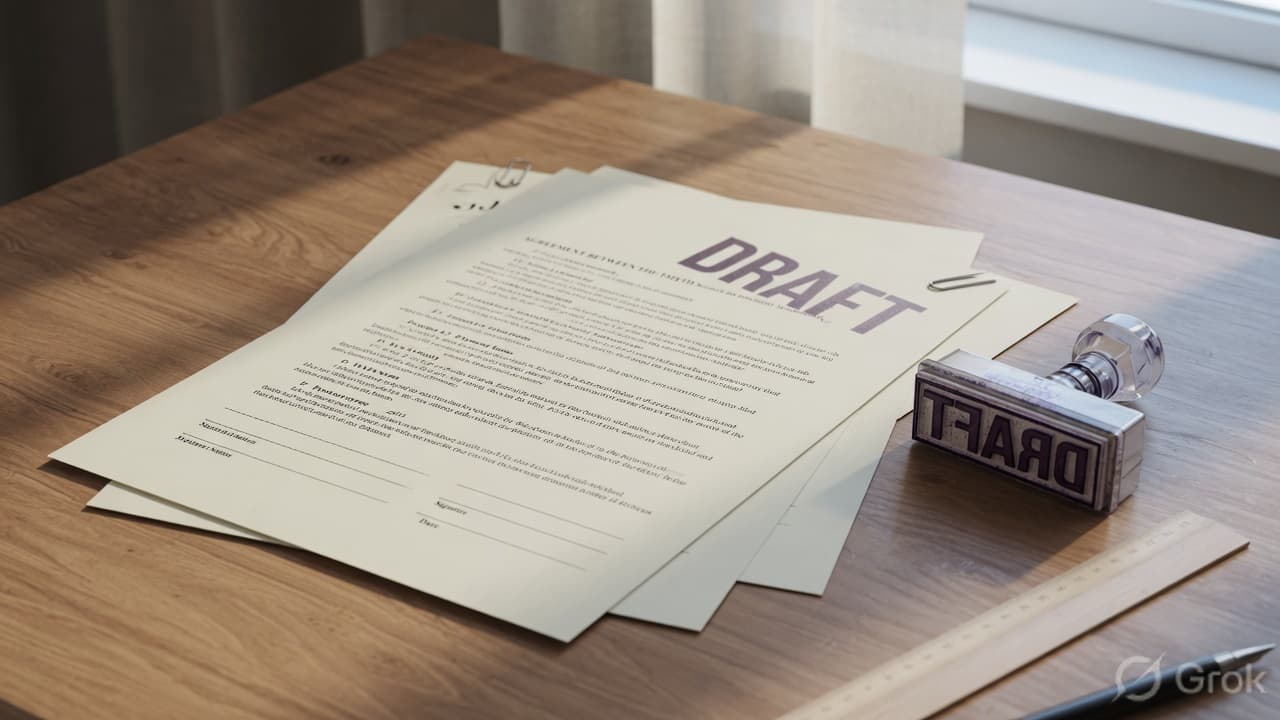
A watermark will not lock a PDF. It will not stop someone from forwarding the file. What it *does* is make the status obvious: this packet is a draft, this packet is confidential, this packet is a sample.
That is still useful. Reviewers treat an unmarked file as final. A light diagonal DRAFT across every page saves the “wait, which version was this?” email.
Pro Tip
Quick path: Open Add Watermark to PDF, type CONFIDENTIAL or DRAFT, drop opacity to about 25–35%, pick a diagonal or tiled layout, process, download. Then password-protect the file if only one person should open it.
Stamp versus lock
People mix these up:
- Watermark — visible text on the pages. Anyone who can open the PDF can still read it.
- Password — the file will not open without the password. Use Protect PDF for that.
Use a watermark when the recipient *should* read the file but must not treat it as final or public. Use a password when they should not open it at all unless you say so. For a client draft of a contract, many people do both: stamp DRAFT, then lock the attachment.
When a watermark helps
- Internal reviews of a policy or proposal
- Sharing a sample report that should not be reused as-is
- Marking ID scans or statements you still need someone to *see*
- Version control when “final_v3_REAL.pdf” is no longer funny
Skip it on a public brochure. Extra stamps look sloppy if the file is meant to be clean.
Step-by-step on PdfPixels
- Open Add Watermark to PDF.
- Upload the finished PDF (watermark last so you do not restamp every draft).
- Enter the stamp text. Short words work better than a paragraph.
- Set opacity so body text stays readable. Start near 30%.
- Choose position. Center plus a 45° rotation is the classic look. Corners are quieter. Diagonal repeat covers more of the page.
- Process and download a *new* file. The original is not overwritten.
Open the download in a viewer and check a text-heavy page *and* a page with a logo or table. If the stamp sits on a signature line, raise the margin or switch to a corner.
Settings that usually work
| Goal | Opacity | Position | Rotation |
|---|---|---|---|
| Obvious DRAFT | 28–35% | Center | 45° |
| Quiet CONFIDENTIAL | 18–25% | Bottom corner | 0° |
| Sample / do not copy | 30–40% | Diagonal repeat | 45° |
Gray text is easier to ignore than neon red. Red is fine for a one-page notice; on a 40-page report it becomes noise.
What a watermark cannot do
It does not encrypt the file. It does not stop screenshots. It does not prove authorship in court by itself. If you need access control, add a password. If you need a paper trail, keep the unmarked original and send the stamped copy.
The current PdfPixels watermark tool stamps every page with text. It does not place a logo image or skip odd pages. If you only want a cover stamp, split page 1, watermark that page, then merge it back.
Watermarks in specific workflows
Legal and contract review — stamp every negotiation round: DRAFT v1, DRAFT v2. When both sides finally sign the clean version, the stamped history makes it obvious which copy circulated earlier and none of them can be mistaken for the executed agreement.
Real estate and mortgage packets — appraisal drafts and inspection reports often carry CONFIDENTIAL because they contain income data and addresses. A corner stamp at low opacity keeps pages scannable for the lender while marking the packet clearly.
Photography and design proofs — a diagonal repeat across a proof gallery says "preview, not final delivery" without hiding the work itself. Keep opacity modest; clients still need to judge focus and color.
Engineering and construction drawings — SUPERSEDED or PRELIMINARY stamps on revised drawings prevent an outdated sheet from being built. Corners work best here — title blocks already claim the bottom of the page.
Where watermarking sits in the document pipeline
Order matters more than people expect:
- Finish the content — write, edit, reorder pages, number them if needed (add page numbers).
- Compress the final file if it faces an upload or email limit (compress PDF).
- Watermark the compressed file.
- Protect with a password last, if the file also needs a lock.
Stamping early means restamping after every change. Protecting before watermarking means re-encrypting too. One pass, in the right order, and you are done.
Common mistakes
Opacity at 80%. The stamp wins; the contract loses. Drop it until you can still highlight a sentence.
Tiny 12pt text in a corner. Nobody notices, which defeats the point.
Stamping before you finish edits. You will regenerate the file five times. Write the content first.
Assuming “CONFIDENTIAL” is a legal lock. Recipients can still copy the text. Pair the stamp with a password and a short note in the email: “Draft — not for circulation.”
After you stamp
If the file is huge, compress the stamped copy. If it must travel locked, protect it. If pages are sideways from a phone scan, rotate before you watermark so the stamp is not sitting on its side.
Bottom line
A watermark is a status label, not a lock. Use short text, modest opacity, and a layout that does not hide signatures. Then decide whether the file also needs a password. Start at Add Watermark to PDF.
Topics
PdfPixels Editorial
PdfPixels teamPublished by the PdfPixels technical writing and engineering team. All guides and technical tutorials undergo rigorous testing across Windows, macOS, iOS, and Android environments to guarantee accuracy and workflow reliability.
FAQFrequently Asked Questions
Does a CONFIDENTIAL watermark password-protect the PDF?
No. A watermark is only visible text on the pages. Use Protect PDF if you need an open password.
What opacity should I use for a DRAFT stamp?
Start around 25–35%. High enough to see, low enough that body text stays readable.
Can I watermark only the first page?
The current tool stamps every page. Split out the first page, watermark that file, then merge it back if you need a cover-only stamp.
Does the watermark stay on the PDF when it is printed?
Yes. The stamp becomes part of the page content, so it prints exactly like the rest of the document. That is also why opacity matters — a heavy stamp is just as heavy on paper, and ink coverage can make the page harder to read in hard copy.
Can I use my company logo as a watermark?
The current tool places text stamps, not images. A workable text alternative for branding is a light corner stamp with your company name. A true logo overlay would need to be baked into the document before it becomes a PDF.
